What Are Dynamic Modules? How to Build Custom CRM Modules
Learn what Dynamic Modules are, how to build custom CRM modules and fields, and how businesses in different industries can bring their own workflows into CRM.
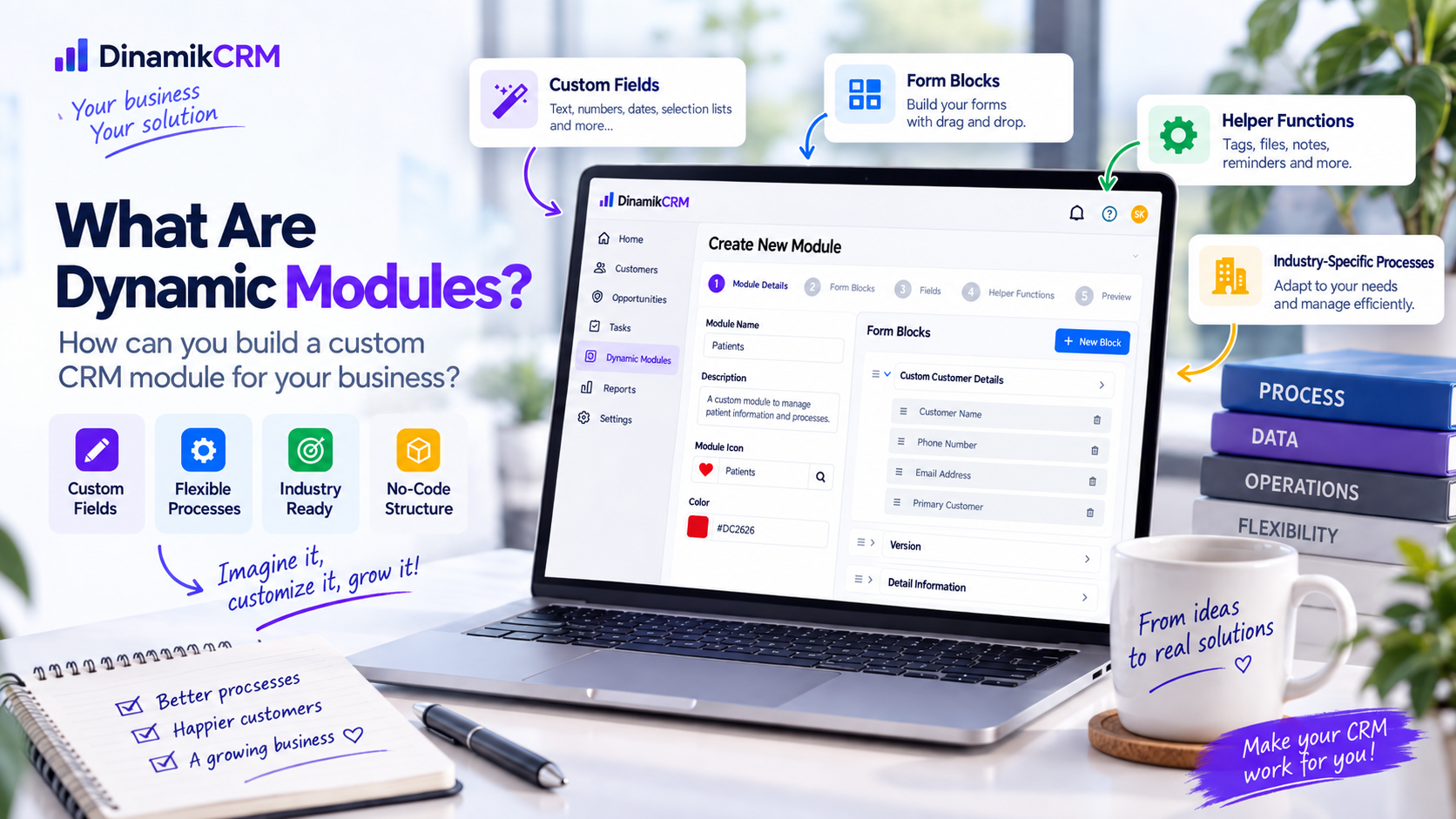
No two businesses operate in exactly the same way. One company may need to track after-sales service requests, while another may manage real estate portfolios, field visits, project details or highly specific operational records. Standard CRM modules cover many common needs, but more flexible structures may be required when business-specific processes come into play.
Dynamic Modules help businesses create their own data structures and tracking processes inside CRM. With DinamikCRM, you can create your own module, define the fields you need and manage processes that do not fit standard CRM structures within the same system.
What is a Dynamic Module?
A Dynamic Module is a custom record structure created according to a business's own requirements, without being limited to a predefined CRM screen.
For example, a technical service company may want to track information such as:
- Service record number
- Service subject
- Product or device information
- Priority level
- Planned service date
- Responsible person
- Service status
A real estate company, on the other hand, can shape the same concept around property type, region, property status, price, responsible consultant and other information specific to its own process.
In this way, CRM becomes more than a fixed system made up only of predefined modules and turns into a more flexible platform that can adapt to the way the business actually works.
Why do businesses need custom CRM modules?
As business processes grow, standard fields may no longer be enough. At that point, teams often start relying on spreadsheets, shared documents, separate applications or disconnected tracking methods.
As a result, information related to the same process may end up being stored in several different places. Users may struggle to understand which information is current, and it becomes harder to see the full process from a single screen.
Customizable CRM modules help bring these unique processes into the existing CRM environment.
How do Dynamic Modules work?
The basic approach is simple: first, define the process you want to track, then determine the information required for that process.
1. Define the process you want to track
The first step is to identify the business process that falls outside your standard CRM modules.
This could be something like:
- Technical service records
- Real estate portfolios
- Field visits
- Quality control records
- Project deliveries
- Training applications
- Consulting projects
- Custom operational records
2. Create your new module
Once the process is defined, you can create a separate module for it. This allows records to be managed in their own structure while still being accessible from the same platform as the rest of your CRM data.
3. Define the fields you need
Every industry and every business process uses different information. For that reason, the fields inside a Dynamic Module can be defined according to your actual requirements.
For example, you may need:
- Text-based information
- Selection lists
- Date information
- Numeric values
- Status information
- Other process-specific fields
This makes it possible to create a record structure that includes only the information that is actually needed, instead of forcing users to work with a generic form full of irrelevant fields.
4. Start creating records
Once the module and its fields are ready, team members can start creating records and managing the process directly from DinamikCRM.
Are Dynamic Modules only about custom fields?
No. Managing a business record often requires more than filling in a few fields.
Dynamic Module records in DinamikCRM can be used together with supporting information that keeps the context of the process intact. Notes can be added, files can be attached, tags can be used, to-dos can be created and reminders can support follow-up.
For example, a service record does not need to consist only of a service status field. Notes, documents and follow-up actions related to that record can also be managed around the same item.
Which industries can use Dynamic Modules?
One of the main advantages of Dynamic Modules is that they are not tied to a single industry. Because the business defines the structure of the module, it can be adapted to a wide range of use cases.
Real estate
Real estate companies can track portfolios using fields that match their own processes. Property type, region, price, property status, responsible consultant and other business-specific information can be managed inside a custom module.
Technical service and manufacturing
Separate modules can be created for technical service records, maintenance processes, quality control results or operational steps specific to manufacturing.
Field teams
Field visits, inspection results, visit types, responsible employees and other follow-up information can be collected in a structured format.
Consulting companies
Client projects, deliveries, project stages and consulting-specific processes can be tracked using the company's own data structure.
Education
Applications, programs, training processes and organization-specific tracking information can be managed through Dynamic Modules.
Healthcare and clinic operations
Custom data structures can be created for operational tracking records and organization-specific workflows that need to be managed in a consistent way.
What is the difference between Dynamic Modules and standard CRM modules?
Standard CRM modules are designed to manage common business processes such as customer management, sales, opportunities, activities and similar areas.
Dynamic Modules allow businesses to bring their own unique processes into the system when those processes fall outside the predefined structure.
For that reason, Dynamic Modules are better viewed as a complement to standard CRM modules rather than a replacement for them.
If you would like to explore the existing module structure in DinamikCRM, visit the DinamikCRM modules page.
Why is a customizable CRM important?
The ability of a CRM system to adapt to the business can be especially important for companies whose processes do not fit standard models.
Using a separate application for every new need can eventually lead to fragmented information. Customer data may be kept in one system, operational data in another, and follow-up notes in separate files.
With a customizable CRM approach, business-specific processes can be kept inside the same working environment whenever possible.
Key benefits can include:
- Creating business-specific data structures
- Tracking different processes in one platform
- Allowing teams to work with the same record structure
- Reducing reliance on scattered spreadsheets and files
- Adapting the structure as new needs emerge
- Extending standard CRM processes with custom workflows
What should you consider when creating a Dynamic Module?
Having a flexible structure does not mean every possible field should be added. A better module design focuses on the information that will actually be used in day-to-day operations.
Define the process first
Before deciding which fields to create, determine which business problem the module is meant to solve. The question "Why are we creating this module?" should have a clear answer.
Add only the fields you really need
Too many fields can make data entry harder for users. Prioritize the information that is genuinely required for the process.
Use clear field names
Use field names that everyone on the team can understand consistently. If your organization uses internal terminology, make sure those terms are standardized.
Test the module with real users
Before rolling out the module, test it with the team members who will actually manage the process. This helps identify missing or unnecessary fields early.
Can a CRM really adapt to your business?
When choosing CRM software, it is useful to think not only about the processes you use today but also about the needs that may appear later. As the business grows, new processes, new information requirements and new tracking needs may emerge.
That is why it is important to evaluate not only how many ready-made features a CRM offers, but also how well the system can adapt to the business.
To see how DinamikCRM applies this approach in practice, visit the Dynamic Modules page and explore how you can create custom modules around your own workflow.
Conclusion
Since every business works differently, CRM systems should not force every company into the same structure.
Dynamic Modules provide a practical way to create business-specific data structures, processes and record types inside CRM. From real estate portfolios and service processes to field operations and consulting projects, many workflows that fall outside standard CRM modules can be managed centrally with this approach.
Instead of distributing processes across disconnected tools, businesses can bring standard CRM capabilities and their own unique way of working together on the same platform.

What Is Analytical CRM? From Data to Business Insights
Learn what analytical CRM means, how customer and sales data can be analyzed and how this approach supports better business decisions.
Read More
What Is CRM Reporting? How to Analyze CRM Data
Learn what CRM reporting is, how to create custom reports, and how filtering, grouping, calculations, charts and AI-assisted analysis can help businesses understand CRM data.
Read More
7 Benefits of Centralizing Customer Data
Discover how centralizing customer data can support sales, customer service, reporting, automation and stronger collaboration across your business.
Read More
What Is Pre-Accounting? A Practical Guide for Businesses
Learn what pre-accounting is, which day-to-day financial processes it covers, and how businesses can track cash, bank accounts, income, expenses, invoices, collections, receivables and payables more systematically.
Read More
How to Use CRM: A Beginner's Guide
Learn how to start using CRM, from organizing customer data and sales pipelines to tasks, follow-ups and reporting.
Read More
CRM and Digital Transformation for SMEs: Where Should Businesses Start?
Learn how SMEs can use CRM to manage customers, sales, tasks and follow-up more consistently and how CRM can support digital transformation.
Read More