What Is Order Management? How to Track the Order Process
Learn what order management is, how orders move from sales to delivery and how businesses can track customer orders more effectively.
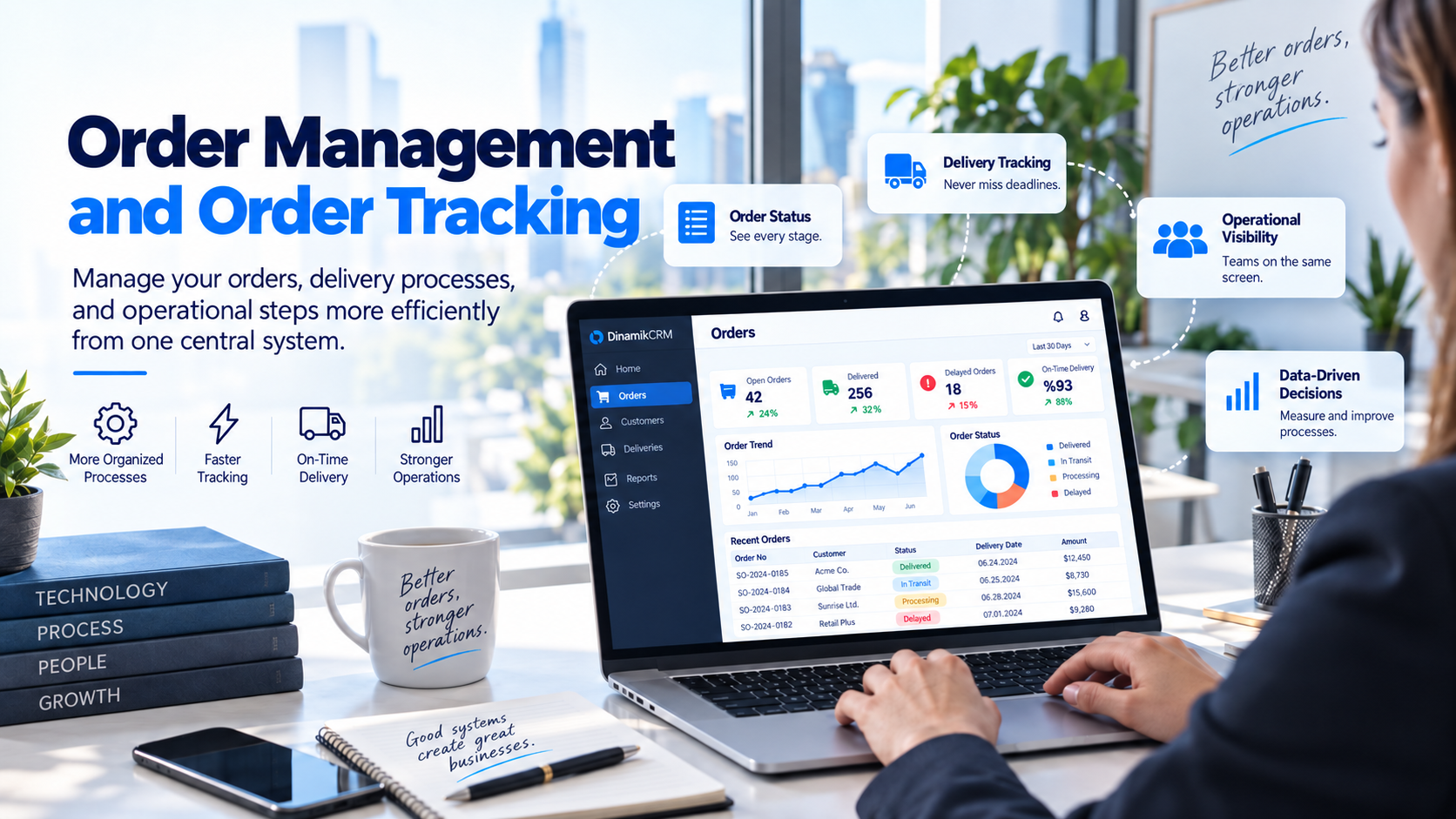
Order management is the process of tracking a customer order from the moment it is received through preparation, delivery and completion. As order volume grows, it becomes increasingly important to manage information such as the customer, responsible person, order status and delivery date through one shared system.
Especially in businesses where sales and operations teams work together, the order process is more than simply creating a record. Knowing which stage an order has reached, who is responsible for it and whether it will be completed on time can directly affect the customer experience.
What is order management?
Order management covers the complete process of receiving a customer order, recording order information, transferring it to the relevant teams, preparing it, tracking delivery and recording completion.
In a well-managed order process, teams can see not only which orders exist, but also the current status of each order and what needs to happen next.
What are the main stages of the order process?
The order process can vary depending on the type of business. However, many organizations follow a similar set of core stages.
1. Receiving the order
The process begins when a customer's request becomes an order. Information such as the order number, customer, order date, product or service details and relevant sales information can be recorded at this stage.
2. Reviewing the order
Before the order moves forward, teams may need to confirm that all required information is complete. Product details, quantities, pricing, delivery information and special customer requirements can be reviewed.
3. Assigning responsibility
It is important to make clear which team or user is responsible for following the order. Without clear ownership, orders may remain between departments or required actions may be overlooked.
4. Preparation or operational processing
Depending on the type of order, production, preparation, procurement, installation or other operational activities may begin. During this stage, the current order status should be kept up to date.
5. Delivery
Once the order is ready, the process moves into shipment, delivery or completion of the service. Comparing the target delivery date with the actual completion time can provide useful information about operational performance.
6. Completion and order history
Marking delivered orders as completed and keeping their history connected to the customer record provides useful context for future sales and service activities.
What information should be tracked for an order?
Tracking an order using only an order number is usually not enough. Depending on the needs of the business, the following information can be managed together:
- Order number
- Customer or company
- Order date
- Responsible user or team
- Product or service information
- Order value
- Current order status
- Target delivery date
- Actual delivery date
- Notes and special customer requirements
Keeping these details within the same order record helps sales and operations teams work with a shared view of the process.
Why is order status important?
One of the most common questions from customers and managers is where an order currently stands. When order statuses are not kept up to date, teams may need to contact several people before they can answer that question.
Depending on the business process, order statuses might include:
- Order received
- Waiting for approval
- Approved
- Preparing
- In operations
- Ready for delivery
- Shipped
- Delivered
- Cancelled
Clearly defined statuses help teams understand what has already been completed and what needs to happen next.
Why should customer, owner and delivery date be tracked together?
One of the most important principles of order management is keeping the order within its business context. Teams should be able to see which customer the order belongs to, who is responsible for it and when it is expected to be completed.
For example, when a delivery date has passed, knowing only that an order is delayed may not be enough. Teams also need to understand which customer is affected and who currently owns the process.
Centralized order tracking software can make it easier to manage customer, ownership, status and delivery information together.
Can orders be tracked with spreadsheets?
For small teams with a limited number of orders, spreadsheets may be sufficient at the beginning. Information such as order number, customer, status and delivery date can be maintained in a table.
However, as order volume and team size increase, several problems may appear:
- Multiple versions of the same spreadsheet
- Uncertainty about which file contains the latest information
- Order changes that are not visible to the whole team
- Unclear ownership
- Manual searching for delayed orders
- Customer history and order history remaining disconnected
At this point, moving order tracking into a shared system can help teams work with the same current information.
How should delayed orders be tracked?
To manage delayed orders effectively, each order should first have a realistic target delivery date. Incomplete orders can then be compared with their target dates so delays become visible.
For delayed orders, teams should track not only the number of days overdue, but also the reason for the delay and the next action required.
For example, delays may be caused by:
- inventory shortages,
- customer approval,
- procurement processes,
- operational workload,
- shipping problems.
Recording these reasons can help businesses identify recurring operational problems.
How should orders move from sales to operations?
One of the critical points in the order process is transferring information to operations after the sale is completed.
During sales conversations, the sales team may collect important information about delivery dates, product specifications, pricing, special requirements or other operational conditions. This information should move into the order process without being lost.
A strong sales-to-operations handoff should include:
- Complete customer information
- Clear order details
- Visible special customer requirements
- An assigned responsible team
- A defined target delivery date
- A shared view of the current order status
This reduces the risk of gaps between what the sales team communicates to the customer and what the operations team actually delivers.
How do CRM and ERP work together in order management?
CRM and ERP systems can play different roles in the order process. CRM typically manages the customer relationship, sales process, communication history and commercial context, while ERP may serve as the main system for inventory, production, shipping, accounting and other operational processes.
Integrating the two systems can create a data flow between customer and sales information and operational order data.
For example, a sales team may see the current order status inside CRM, while a completed sale in CRM may trigger an order or operational process in ERP.
The goal is not to copy every piece of information into every system. The goal is to make the right information available to the right teams at the right point in the process.
Which order management metrics should be tracked?
Order processes should not only be managed day to day. Measuring them over time can provide useful insight into operational performance.
Some useful metrics include:
- Total number of open orders
- Completed orders
- Delayed orders
- On-time delivery rate
- Average order completion time
- Order cancellation rate
- Order frequency by customer
- Order value
These metrics can help identify where delays or bottlenecks occur within the order process.
When is order tracking software needed?
Not every business needs a dedicated order tracking system from the beginning. However, as order volume increases and multiple teams become involved, the need for centralized tracking becomes more noticeable.
The following situations may indicate that order management needs a more structured approach:
- Teams frequently ask where an order currently stands
- Delayed orders are discovered only after the customer asks about them
- Sales and operations teams use different lists
- It is difficult to identify who owns an order
- Spreadsheets are constantly updated and multiple versions exist
- Customer history and order history cannot be viewed together
- Managers cannot easily see open and delayed orders
In these situations, being able to track customer orders from one place can improve visibility across teams and reduce manual follow-up.
Common mistakes in order management
Using software alone is not enough to create an effective order management process. The structure of the process itself also matters.
Common mistakes include:
- Not defining order statuses clearly
- Not assigning a responsible user
- Allowing delivery dates to become outdated
- Sales and operations teams working with different information
- Not recording reasons for delays
- Keeping completed order history separate from the customer record
Keeping the order process simple and understandable makes it easier for teams to use the system consistently.
Conclusion
Order management is an important business process that begins when a customer order is received and continues until delivery is completed. Tracking information such as the order number, customer, responsible user, current status and delivery date in one shared system helps teams work more consistently.
As order volume increases, spreadsheets, emails and personal notes may no longer provide enough visibility. Making the order process visible from sales through operations can help businesses identify delays earlier and provide customers with more accurate information.

How to Improve Internal Communication in a Company
Discover practical ways to improve information flow, increase task visibility and create stronger collaboration across teams and customer processes.
Read More
Customer Loyalty and New Customer Acquisition: How to Balance Both
Learn how businesses can balance new customer acquisition with retention and how CRM can support both sides of the customer lifecycle.
Read More
What Is Customer Lifecycle Management?
Discover how CRM can help manage the customer lifecycle more holistically, from the first opportunity and sale to post-sale service and long-term loyalty.
Read More
What Is CRM?
Discover what CRM systems mean for businesses and how they support business processes.
Read More
Why CRM Reporting Matters: Turning Data into Better Decisions
Learn how CRM reporting can help businesses understand customer, sales, pipeline, activity and team performance data.
Read More
How to Find Potential Customers: 8 Practical Methods
Explore practical ways to find potential customers through digital channels, referrals, events, direct outreach and structured lead management.
Read More